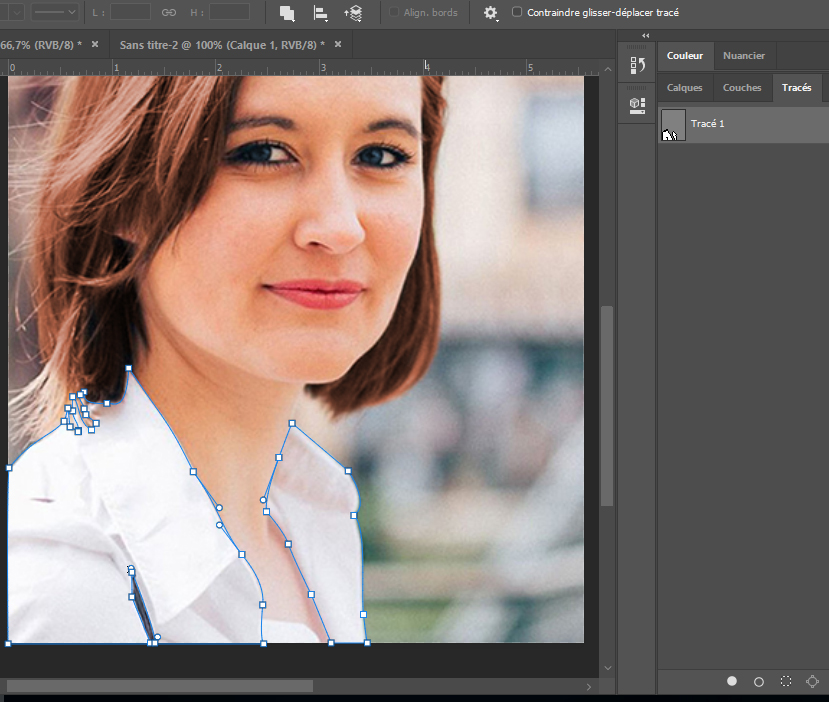
I'll soon be ready to place Ms. Paige's picture on the poster along with some text. However, she asked me if I could change the colour of her shirt. To select the shirt, this time, I am going to draw a path and select it. Once the path is selected, I'll be able to create an adjustment layer as I've done before.
First I'll need to learn how to draw a path with the pen tool. I found a page that explains very well how to draw a path. The second item below links to a video that explains in detail everything I need to know about the pen tool. It's a bit long, but it's really worth it. I also found a video that shows how to convert a path into a selection.
Part 9: Change the colour of Ms. Paige's shirt
Drawing with the pen tool is actually quite difficult to master. I will make sure I practise plenty before I continue.
OK