Certain features used in this web site isn't supported by your browser.
Please use another browser, such as Chrome.
Part 4 : Laying out the New York City poster
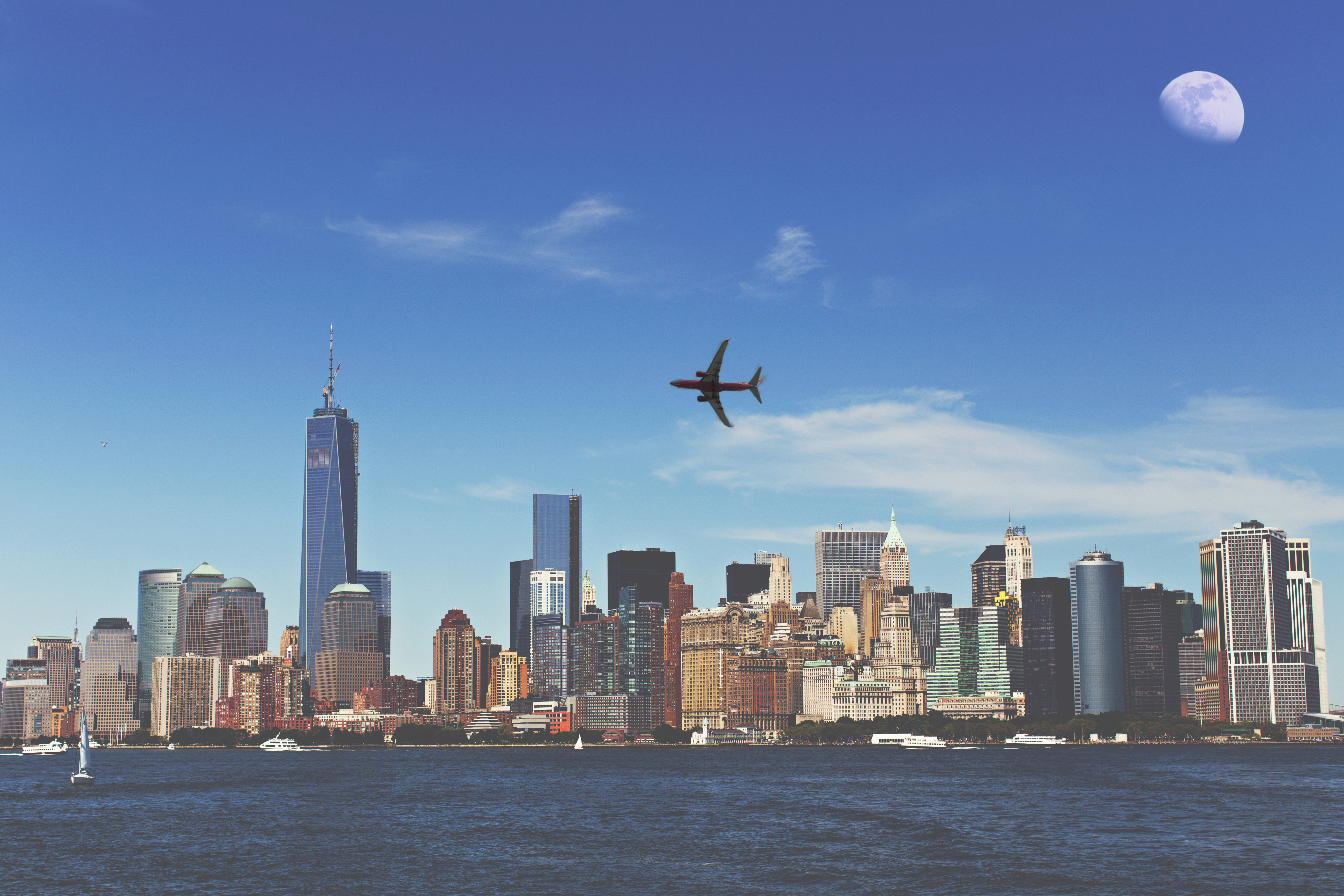
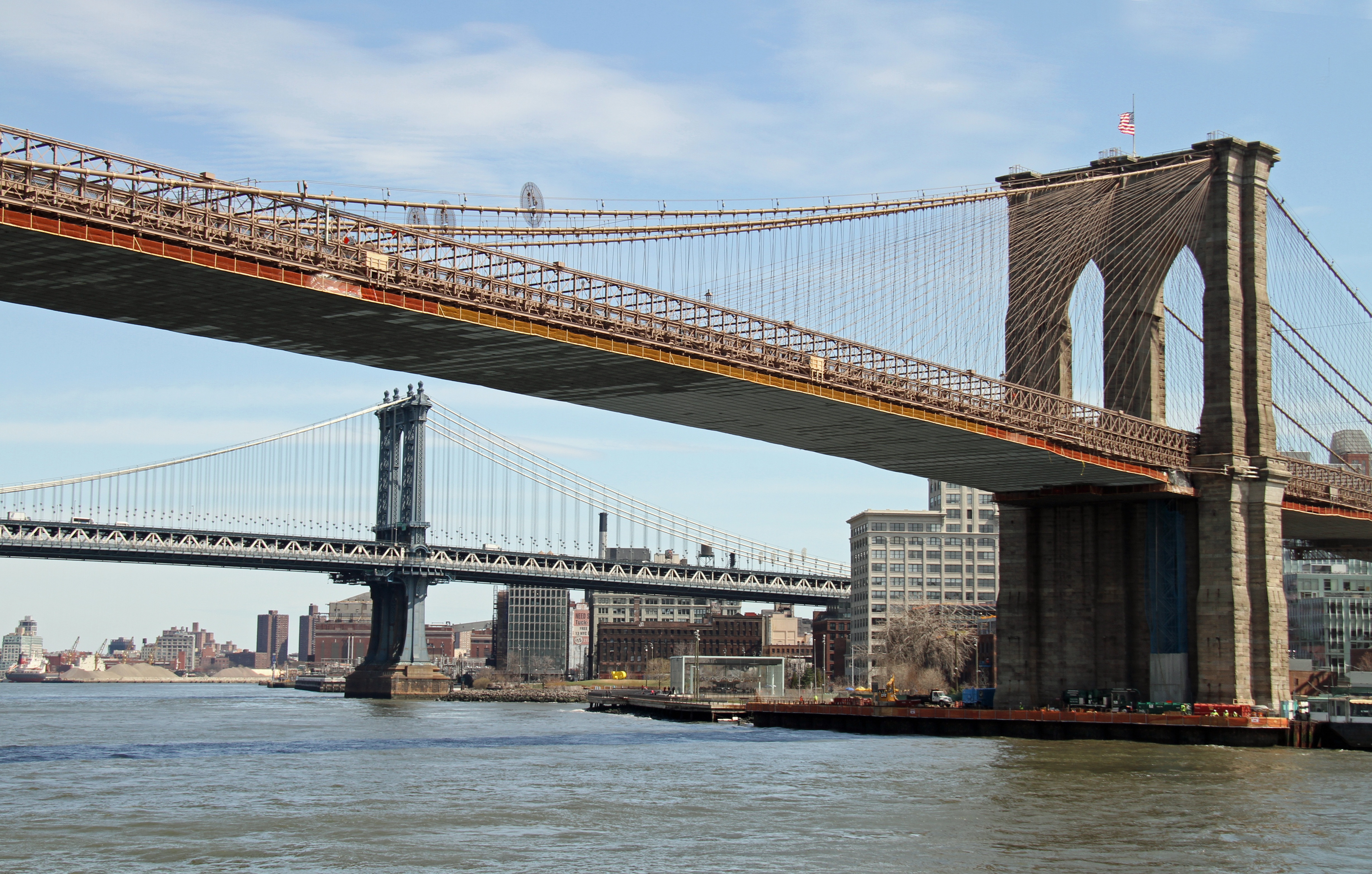
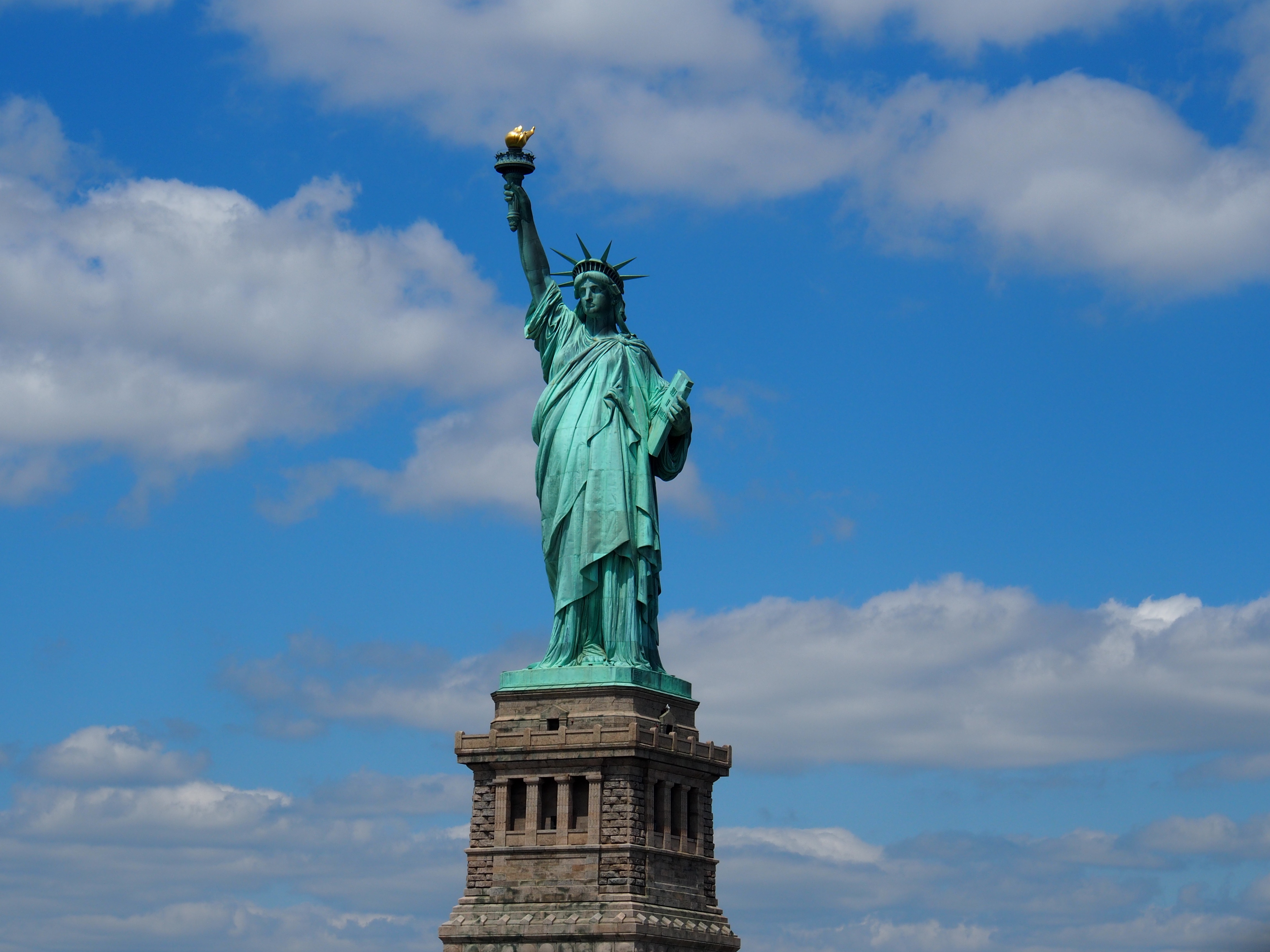
All right, I think I'm ready to start working on the basic layout of my poster. I'll have to integrate three different pictures in one poster. How can I have three photos in only one image? I guess I'll need to get more familiar with this layer concept in Photoshop. Here are some videos that could help me out.
Here are the three pictures I'll use. I need to right-click on the images to download them.
buildings.jpg
bridge.jpgliberty.jpg
So, I'll now import those three images on three different layers of the same Photoshop document.
How am I going to do that in Photoshop?
SMART LAYERS
I answered:
thumb_up
I'll start with opening my first image, building.jpg. Then, I will import the other two photos with the Place Embedded... command from the File menu.
How does that compare with what I wrote?
I can now temporarily resize my images to a smaller size. I can make them bigger again later since they are smart objects.
But what is a smart object anyway, and what benefit does it give me? If I'm unsure, I can do a quick search for it on the Internet using keywords such as "smart objects Photoshop". I'm sure I'll find videos and texts that will answer my question.
So let's have it: what is a smart object and what is it good for?
I answered:
thumb_up
A smart object is an object that is imported in a document without modifying the original. Any manipulation on this object will be non-destructive, meaning I can reduce or increase its size without affecting the quality of the image.
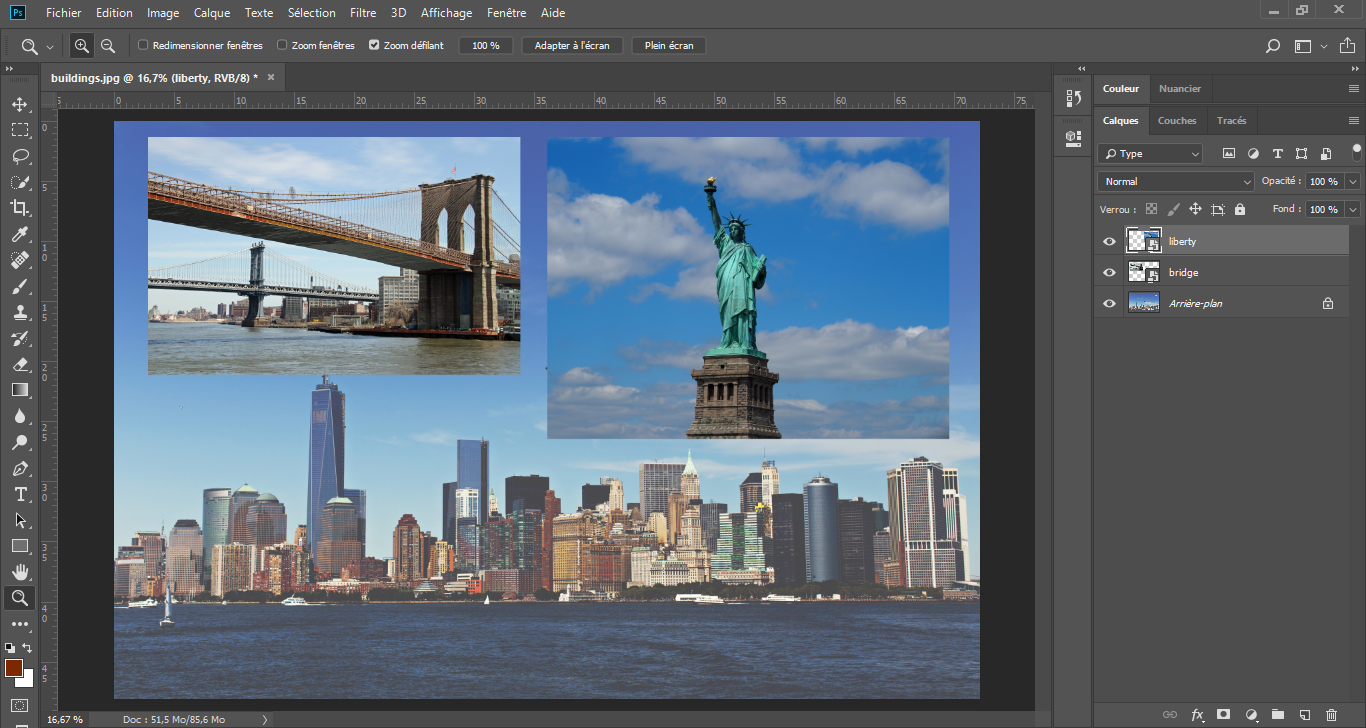
My Photoshop document should look like the image below, with each picture on a different layer in the layers panel on the right. The size and placement of the bridge and the statue are not important for now, since they are smart objects. I can click on the image below to see it bigger.
Click for bigger size
Click to close
I now have my document, with all three images on different layers. This is the document I will keep working on throughout the project. Therefore, I need to make sure the resolution is appropriate.
By the way, what resolution should my document have?
FEEDBACK
Excellent! My document is now set at the printed-friendly resolution of 300 dpi.
Before going any further, let's think about what I've just learned.
I can import an image in a Photoshop document.
I understand what layers are and I can manipulate them (change their stacking order for example):
I know what a smart object is and I understand its benefits.